

Best Servers for Enterprises
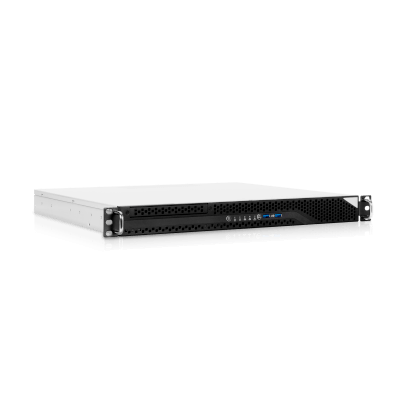
Infinity 1U Server
Windows 11 Pro Intel® Core™ Ultra 7 265 Integrated onboard Graphic 64GB DDR5 6000MT/s Kingston ASUS PRO WS W880-ACE SE 2TB PCIe 5.0 NVMe Kingston
0 Review
Ultra 1U Server
Windows 11 Pro AMD Ryzen™ 7 8700G Integrated onboard Graphic 64GB DDR5 6000MT/s Kingston ASUS PRO WS B850M-ACE SE 2TB PCIe 5.0 NVMe Kingston
0 Review
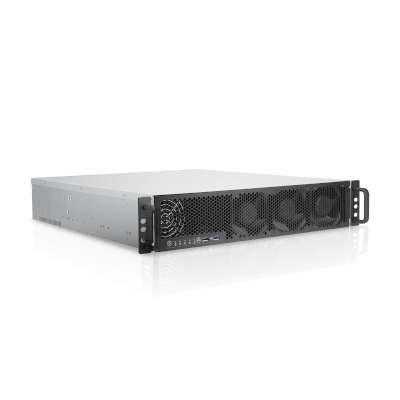
Infinity 2U Server
Windows 11 Pro Intel® Core™ Ultra 7 265KF Integrated onboard Graphic 64GB DDR5 6400MT/s Kingston ASUS PRO WS W880-ACE SE 2TB PCIe 5.0 NVMe Kingston
0 Review
Ultra 2U Server
Windows 11 Pro AMD Ryzen™ 7 9850X3D Integrated onboard Graphic 64GB DDR5 6400MT/s Kingston ASUS PRO WS B850M-ACE SE 2TB PCIe 5.0 NVMe Kingston
0 Review
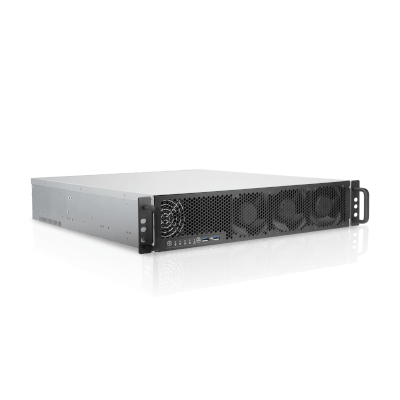
Infinity 3U Server
Windows 11 Pro Intel® Core™ Ultra 7 265KF NVIDIA® RTX™ PRO 2000 Blackwell 16GB 64GB DDR5 6400MT/s Kingston ASRock Z890 Pro RS WIFI White 2TB PCIe 5.0 NVMe Kingston
0 Review
Ultra 3U Server
Windows 11 Pro AMD Ryzen™ 7 9700X NVIDIA® RTX™ PRO 2000 Blackwell 16GB 64GB DDR5 6400MT/s Kingston GIGABYTE B850 Gaming WIFI6 2TB PCIe 5.0 NVMe Kingston
0 Review
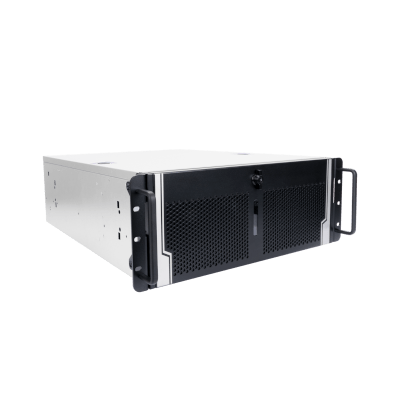
Infinity 4U Server
Windows 11 Pro Intel® Core™ Ultra 7 265KF NVIDIA® RTX™ PRO 2000 Blackwell 16GB 64GB DDR5 6400MT/s Kingston ASRock Z890 Pro RS WIFI White 2TB PCIe 5.0 NVMe Kingston
0 Review
Ultra 4U Server
Windows 11 Pro AMD Ryzen™ 7 9700X NVIDIA® RTX™ PRO 2000 Blackwell 16GB 64GB DDR5 6400MT/s Kingston GIGABYTE B850 Gaming WIFI6 2TB PCIe 5.0 NVMe Kingston
0 Review
Nothing Found.
Frequently Asked Questions
What is a server?
A server is a computer system, or software program, that manages and stores resources like files, applications, and data, then shares them with connected client devices, such as computers, over a network. Servers operate in a client-server architecture, where a client device can make a request, and the server programs or machines fulfill them. A server can refer to the physical hardware, the software running it, or both. Servers are built to run continuously (24/7), to handle a large amount of requests and traffic from multiple users and devices.
What are the different types of servers?
There are several types of servers, each built for a different purpose. The most common server types include:
● File servers: Store and share files across a network.
● Web servers: Host websites and deliver web pages to visitors.
● Application servers: Run business applications and process application logic.
● Database servers: Store, organise and retrieve structured information.
● Mail servers: Manage incoming and outgoing emails.
● Game servers: Host multiplayer gaming sessions and manage connections between players.
● Home servers: Provide shared storage, media streaming, backups and other services around the home.
Many modern server PCs can work several of these roles at the same time, depending on their hardware and software configuration.
What is a home server, and what can you use one for?
A home server is a computer that gives shared services and resources to different devices across your home network. Popular home server uses range from storing and backing up files, streaming media through applications like Jellyfin or Plex, running home automation with a workstation, experimenting with virtual machines or hosting personal websites.
For server enthusiasts, a home server can also become a home lab for learning networking, cybersecurity and system administration. The best specification for your server depends on how many services you plan to run on it at the same time.
What is the difference between a tower server and a rack server?
A tower server is a vertical, standalone computer that sits on a desk or floor, making it more suitable for a small business or home server setup. A rack server, on the other hand, is made to slide into a dedicated server rack, which allows many systems to be installed together in a small space.
Rack servers are measured in rack units (U), with 1U measuring at 1.75 inches high. CyberPowerPC UK offers varying server form factors, such as 1U, 2U, 3U and 4U configurations.
Is a 2U server better than a 1U server?
A 2U server isn’t always inherently better than a 1U server, as the best choice depends on your workload, available rack space and expansion requirements. A 1U server is best for prioritising space, making it very useful when fitting multiple systems into a rack. A 2U server typically gives more internal room for cooling, storage and expansion, though actual capabilities depend on the chassis and components of the model.
How can I optimise server management and performance?
Effective server management starts with keeping a close eye on the CPU usage, memory, storage, network activity and operating temperatures. You should also keep operating systems and applications updated, schedule regular backups, manage user permissions and monitor security logs, as these tips will help to keep reliability and protect important data for your business.
You should also review your server's workload often to identify bottlenecks before they even affect performance. If your requirements increase, upgrading RAM, storage or processing power can help your server handle additional users and applications.