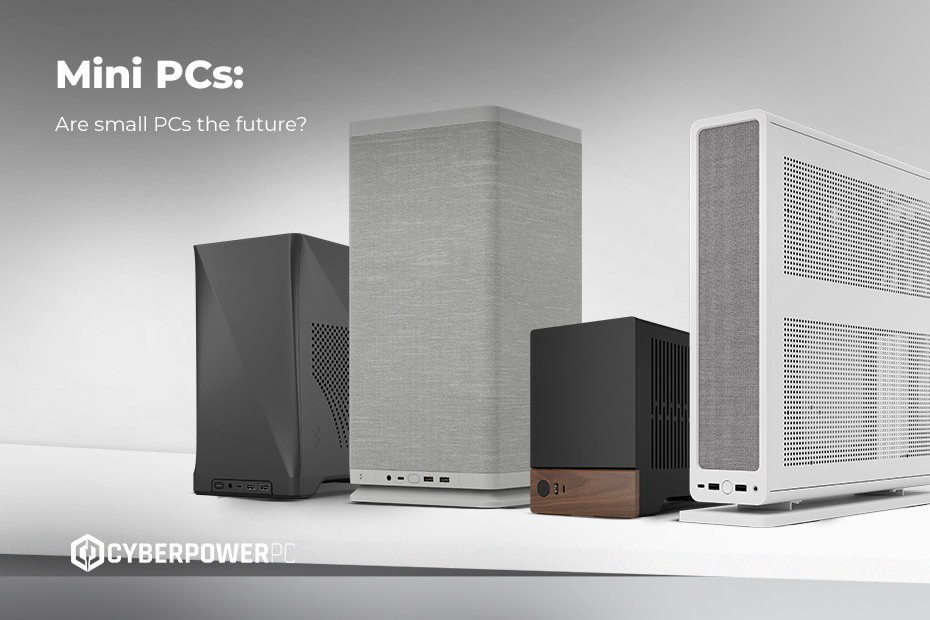
If you’ve spent any time browsing tech blogs, TikTok desk setup videos, or even the electrical aisle at your local supermarket, you’ll have noticed that mini PCs are everywhere. Once a niche idea beloved by hobbyists, the mini PC has now gone mainstream — because small doesn’t have to mean slow. In fact, many of today’s compact machines can compete with full-sized desktops, and in some cases, even outperform them.
But what is a mini PC, really? Is it just a cute PC? A portable workstation? A console replacement? And what about work, streaming, creative tasks, and everything else you’d normally use a computer for? In this guide, we’re diving deep into the world of tiny computing — from mini desktops for work to mini gaming PCs that can genuinely hold their own against full-sized towers.
Whether you’re a gamer, a home user, or a business looking for custom computing solutions, we’ll help you navigate your options and find the right setup.
- What is a mini PC?
- What types of tasks can a mini PC handle?
- Are mini PCs good for gaming?
- Mini PCs vs desktop PCs
- Mini PC builds: Can you build your own?
- Upgrading mini PCs: What you can and can’t change
What is a mini PC?
A mini PC is essentially a fully functional desktop computer shrunk down to a smaller unit. Most are roughly the size of a book or a TV streaming box, yet they contain many of the same components you’d find in a traditional PC: a real processor, real RAM, real SSD storage, familiar connectivity ports, and a proper operating system such as Windows 11.
What separates them from full-sized desktops isn’t capability, but footprint. Mini PCs are designed to fit easily onto crowded desks, home entertainment systems, or behind monitors using VESA mounts. They draw very little power, produce minimal noise, and offer all the essentials without dominating the room. It’s the kind of unobtrusive computing that feels very 2026 — compact, efficient, and versatile enough to be used just about anywhere.
What types of tasks can a mini PC handle?
A modern mini PC like MSI Cubi mini PCs can easily manage everyday computing tasks, from streaming and browsing to office work and video calls. More powerful models can handle gaming, creative workloads, programming, photo editing, and even some video editing — especially if they include a discrete GPU.
They’re also excellent multi-monitor systems. Many mini PCs support two, three, or even four displays, making them suitable for content creators, financial traders, programmers, and productivity-focused users who want a compact workstation without sacrificing screen space.
Nearly every modern mini PC functions as a mini windows PC because Windows 11 is designed to run smoothly on efficient, low-power hardware. This and other features like security enhancements and cloud integration make them a fast, modern, and secure option.
Mini PCs at home
In a home setting, mini PCs fill dozens of niches. They work brilliantly as home office systems, living-room streaming hubs, family computers, or dedicated gaming setups. Their small size makes them ideal for entertainment units or bedroom desks, where you don’t want a loud or bulky PC under your feet.
Because modern processors are so efficient, even a modest mini PC system feels fast for browsing, streaming, office work, and schoolwork. Many people also use mini PCs as retro gaming emulators or small personal servers for media, home automation, or cloud storage. For households looking for a quiet, compact, and hassle-free machine, a mini PC offers exceptional convenience.
Mini PCs in the workplace
Mini PCs aren’t just a consumer trend — they’re becoming an office standard. Businesses across the UK are adopting them for a simple reason: they deliver serious capability without clutter. A mini desktop PC can be mounted behind a monitor, freeing up valuable desk space and making workstations look clean, modern, and professional. They’re quiet enough for meeting rooms and reception areas, inexpensive to run, and secure enough to integrate seamlessly into enterprise environments.
Mini PCs can be used everywhere from classrooms and call centres to retail shops and healthcare settings. They’re perfect for teams that rely on Office 365, cloud-based tools, CRM platforms, and video conferencing. If you’re part of an organisation that needs more power — say for CAD work, simulation, data analysis, or creative production — we can build bespoke workstations tailored to your exact workflow. But for day-to-day productivity, mini PCs offer reliability, speed, and a clean aesthetic at a far lower price point.
Are mini PCs good for gaming?
The short answer is yes — mini PCs can be excellent for gaming, but only if you choose the right kind. Many old or budget-friendly mini PCs use integrated graphics, which means the GPU isn’t a separate card but built into the processor. These systems aren’t designed for big AAA games but work well for indie titles, older releases, cloud gaming, lightweight eSports, and emulation. They are ideal for casual gaming or for setups where energy efficiency or space is the priority.
The real excitement happens with mini gaming PCs that include dedicated graphics hardware. Some modern models—such as Sigil Elite, Ion Elite, and Ion Pro SFF mini gaming PCs — feature discrete NVIDIA GPUs like the RTX 5070 or RTX 5060 in extremely compact designs. These can easily power smooth 1080p gameplay and even push into 1440p territory for many titles. They’re quieter than most gaming laptops, significantly smaller than a traditional desktop PC, and far easier to integrate into compact living spaces or sleek desk setups. If you’ve been dreaming of a powerful mini PC with graphics card support, this is where the technology truly shines.
How to choose a mini PC for gaming
If gaming is your goal, the processor matters, but the graphics hardware matters far more. A mini PC with GPU support will always outperform one that relies solely on integrated graphics. Anyone hoping to play modern releases at decent settings should aim for a model with a discrete GPU.
Memory is equally important. While 8GB is fine for everyday use, gaming mini PCs feel noticeably smoother with 16GB or more. Storage also plays a big role: NVMe SSDs provide much faster load times than older SATA drives and are now standard in almost all high-quality mini PCs.
Then there’s cooling. Compact machines naturally have less space to move hot air around, so it’s essential to choose a model designed specifically with gaming in mind rather than a generic small form factor PC. This is where brands like MSI stand out: their mini gaming PC models are engineered to maintain stable temperatures even under sustained load, which helps prevent performance drops.
Mini PCs vs desktop PCs
A traditional desktop PC with a full-sized tower offers more flexibility, upgradability, and raw performance than a mini PC. This is especially useful if you’re building a system for high-end gaming, 3D rendering, or professional content creation. There’s simply more space for larger GPUs, advanced cooling systems, and powerful multi-core processors.
But mini PCs win in areas where traditional PCs can’t compete. Their small size means they’re perfect for flats, student rooms, offices, and shared family spaces where you just don’t have room for a big mid-tower. They consume far less electricity, making them ideal for situations where efficiency matters — whether you’re running a home server, handling light office work, or powering a digital signage system that stays on all day. Despite their compact build, they can perform surprisingly well, thanks to modern CPUs, fast NVMe SSDs, and the performance uplift brought by Windows 11.
Not everyone needs a giant machine to handle everyday computing. For people who value space-saving design, quiet operation, and energy efficiency, a mini PC is often the smarter and more future-proof choice.
Mini PC vs gaming laptops
A mini PC provides better thermals, quieter operation, and more value for money than a laptop, especially if you don’t need portability. It gives you desktop-like performance in a much smaller footprint and lets you choose your own monitor, keyboard, and workspace layout.
A gaming laptop, on the other hand, is ideal for people who need total mobility. If you want to game on the train, work in a café, or move between offices frequently, a laptop is the better choice. But if your computer stays on a desk and you want the best experience possible, a mini PC is usually the smarter long-term investment.
Mini PC builds: Can you build your own?
If you enjoy building PCs, you might wonder whether mini PCs can be built from scratch. True mini PCs, however, often use proprietary motherboards, custom cooling systems, and unique chassis designs. This makes them difficult to build and even harder to upgrade. Most people looking for the best mini PC gaming performance choose a professionally engineered model rather than attempting a DIY solution. Still interested in building your own PC? Check out our custom PC range to get the specs you want.
Upgrading Mini PCs: What you can and can’t change
Upgradability varies widely between models. Many mini PCs allow you to upgrade RAM and NVMe storage, which means you can boost performance or expand capacity over time. Wi-Fi cards are sometimes replaceable too.
However, the processor and graphics hardware are usually fixed, especially in very small systems. This is why choosing the right configuration at the start is so important if you plan to game or run demanding software. If long-term upgradability is your top priority, a compact mini tower or Mini-ITX build might suit you better than a sealed mini PC.
If you need a quiet, compact, efficient computer with enough power for everyday tasks — and even casual gaming — a mini PC is a fantastic investment. It fits perfectly into modern homes, flats, and offices, and with the rise in high-efficiency processors and small-form-factor GPUs, the performance gap between mini PCs and full-sized gaming PCs has never been smaller.For more advice on choosing the right PC for you, be sure to check out the rest of our blog including our PC buying guide. And if you’re looking for more personalised options, don’t forget about our custom PCs or even our bespoke business service.