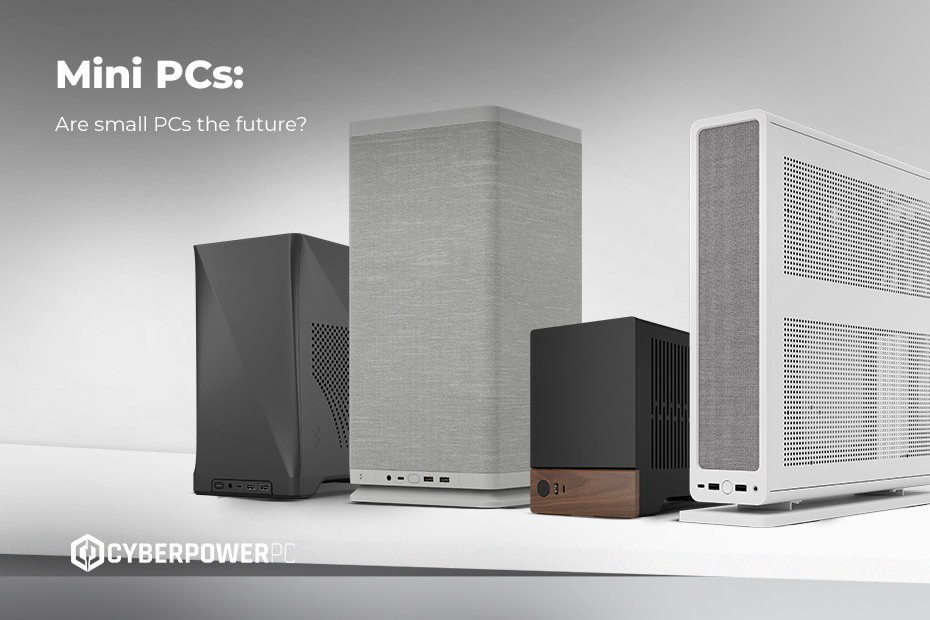
Mini PCs are used for home and office computing, media streaming, digital signage, home servers, retro gaming emulation, and increasingly for full gaming setups. Their appeal is doing the work of a full desktop in a fraction of the space, at lower power draw and noise, on a desk or mounted behind a monitor.
If you’ve spent any time browsing tech blogs, TikTok desk setup videos, or even the electrical aisle at your local supermarket, you’ll have noticed that mini PCs are everywhere. Once a niche idea beloved by hobbyists, the mini PC has now gone mainstream, because small doesn’t have to mean slow. In fact, many of today’s compact machines match full-sized desktops on performance, because the small form factor versions run the same desktop processors and graphics cards, just in a tighter chassis.
But what is a mini PC, really? Is it just a cute PC? A portable workstation? A console replacement? And what about work, streaming, creative tasks, and everything else you’d normally use a computer for? From mini desktops for work to mini gaming PCs that can genuinely hold their own against full-sized towers, what are mini PCs actually capable of?
Whether you’re a gamer, a home user, or a business looking for custom computing solutions, we’ll help you navigate your options and find the right setup.
- What is a mini PC?
- What types of tasks can a mini PC handle?
- Are mini PCs good for gaming?
- Mini PCs vs desktop PCs
- Mini PCs vs gaming laptops
- Can you build a mini PC?
- Upgrading mini PCs: What you can and can’t change
- Frequently Asked Questions
What is a mini PC?
A mini PC is a desktop computer built into a chassis substantially smaller than a standard tower. The term covers two differing machines, and knowing which one you need matters.
NUC-style mini PCs are the palm-sized units most people picture: roughly the size of a book or a TV streaming box, using laptop-class processors and integrated graphics. These are the machines that mount behind a monitor on a VESA bracket, draw very little power, and run almost silently. Our MSI Cubi range sits here.
Small form factor PCs use a compact Mini-ITX motherboard but accept full desktop processors and full-size graphics cards. They are larger, typically 10 to 20 litres rather than under one litre, but they deliver the same performance as a full tower. This would include our MNML range.
What separates small form factor PCs and NUC-style mini PCs from a conventional desktop is footprint rather than capability. Both run a full operating system such as Windows 11, both take standard monitors and peripherals, and both offer the connectivity you would expect from a desktop. The difference between the two is where the ceiling sits: a NUC-style machine is limited by its integrated graphics, while a small form factor build is limited only by what physically fits.
What types of tasks can a mini PC handle?
A modern mini PC like MSI Cubi mini PCs can easily manage everyday computing tasks, from streaming and browsing to office work and video calls. More powerful models can handle gaming, creative workloads, programming, photo editing, and even some video editing, especially if they include a discrete GPU.
They also make excellent multi-monitor systems. Most current mini PCs can run two to four displays simultaneously through a combination of HDMI, DisplayPort, and USB-C outputs, which suits traders, programmers, and content creators who need screen space more than raw power. Check the output count and maximum resolution per output before purchase, as these vary considerably between models, even when at similar prices.
Nearly every modern mini PC runs Windows 11 well, as the operating system is made to work well on efficient, low-power hardware. That brings the same security features, cloud integration, and software compatibility you would get on a full desktop, with no compromise on what you can or can’t install.
Mini PCs at home
In a home setting, mini PCs fill dozens of niches. They work brilliantly as home office systems, living-room streaming hubs, family computers, or dedicated gaming setups. Their small size makes them ideal for entertainment units or bedroom desks, where you don’t want a loud or bulky PC under your feet.
Two of the most common uses for mini PCs include emulation for retro gaming, where a modest mini PC handles everything up to the sixth console generation comfortably, and takes up less space than the retro console it replaces. The other is running a small home server for media, backups, or home automation, where low power draw matters far more than performance because the machine is on continuously. A mini PC drawing 15 to 30 watts at idle costs a fraction of a full tower to run continuously, which is why they have become the default choice for Plex, Jellyfin, and Home Assistant setups.
Mini PCs in the workplace
Mini PCs aren’t just a consumer trend. They’re becoming an office standard. Businesses across the UK are adopting them for a simple reason: they deliver serious capability without clutter. A mini desktop PC can be mounted behind a monitor, freeing up valuable desk space and making workstations look clean, modern, and professional. They’re quiet enough for meeting rooms and reception areas, inexpensive to run, and secure enough to integrate seamlessly into enterprise environments.
Mini PCs can be used everywhere from classrooms and call centres to retail shops and healthcare settings. They’re perfect for teams that rely on Office 365, cloud-based tools, CRM platforms, and video conferencing. If you’re part of an organisation that needs more power, perhaps for CAD work, simulation, data analysis, or creative production, we can build bespoke workstations tailored to your exact workflow. But for day-to-day productivity, mini PCs offer reliability, speed, and a clean aesthetic at a far lower price point.
Are mini PCs good for gaming?
Yes, given that you choose the right type. The deciding factor is whether the machine takes a dedicated graphics card, as that single component separates a mini PC for gaming from one that can’t.
NUC-style mini PCs rely on integrated graphics. Modern integrated GPUs are far better than they used to be, and can handle esports titles such as Valorant, CS2, League of Legends, and Fortnite at 1080p, along with small indie games, older releases, emulation, and cloud gaming. They are not built for modern releases at reasonable settings, and no amount of tuning changes that.
Small form factor mini PCs take a full-size desktop graphics card, which is where compact gaming genuinely works. A current AMD Radeon or NVIDIA GeForce RTX card in a Mini-ITX build delivers high frame rates at 1080p and comfortable 1440p performance, identical to the same components in a full tower. Cases such as the Fractal Ridge accept graphics cards up to 335 mm in a 12.6-litre footprint, which covers most current cards.
A small form factor build is much quieter than a gaming laptop of equivalent performance, as desktop coolers move more air more slowly, and it takes up a fraction of the space of a mid-tower without giving up the graphics card. For a full breakdown of specifications and current models, see our mini PC range.
Mini PCs vs desktop PCs
A traditional desktop PC with a full-sized tower offers more flexibility, upgradability, and raw performance than a mini PC. This is especially useful if you’re building a system for high-end gaming, 3D rendering, or professional content creation. There’s simply more space for larger GPUs, advanced cooling systems, and powerful multi-core processors.
But mini PCs win in areas where traditional PCs can’t compete. Their small size means they’re perfect for flats, student rooms, offices, and shared family spaces where you just don’t have room for a big mid-tower. They consume far less electricity, making them ideal for situations where efficiency matters, whether you’re running a home server, handling light office work, or powering a digital signage system that stays on all day. Despite their compact build, they can perform surprisingly well, thanks to modern CPUs, fast NVMe SSDs, and the performance uplift brought by Windows 11.
Not everyone needs a giant machine to handle everyday computing. For people who value space-saving design, quiet operation, and energy efficiency, a mini PC is often the smarter and more future-proof choice.
Mini PC vs gaming laptops
A mini PC gives better thermals, quieter operation, and more performance overall compared to a laptop, as desktop components run at higher sustained power limits and have more room to shed heat. A laptop wins on portability alone, which is decisive if you genuinely need to work or game away from a desk. If mobility is the deciding factor, our gaming laptop range covers MSI, ASUS, Acer, Gigabyte, and Razer.
Can you build a Mini PC?
It depends on which type of mini PC you want to build. NUC-style mini PCs are not user-buildable: they use proprietary boards, bespoke cooling, and sealed chassis, so they come as complete units rather than assembled.
Small form factor PCs, on the other hand, use standard Mini-ITX components and are entirely buildable, though the build is more demanding than a full tower as everything is decided by space. Start with the case, since its graphics card length limit, cooler height limit, and power supply format constrain every further choice. From there you need a Mini-ITX motherboard on the correct socket, a processor with sensible power draw paired with a low-profile or compact cooler, an SFX or SFX-L power supply with enough headroom, and low-profile DDR5 memory that clears the cooler. M.2 NVMe storage rather than 2.5-inch drives saves both space and cable clutter.
The most common mistake is purchasing components in the wrong order and later discovering the cooler fouls the memory or that the graphics card is 5 mm too long. If you would rather have the parts chosen and assembled for you, our custom small form factor systems can be reconfigured before you order, allowing you to amend the components to your liking. From there, our team handles the build, testing, and cable management.
Upgrading Mini PCs: What you can and can’t change
Upgradability is the main difference between the two types of mini PC, and it is worth understanding before you buy one.
On NUC-style mini PCs, memory and NVMe storage are typically upgradable, and Wi-Fi cards can be. The processor and graphics are fixed, as both are integrated into a soldered package. Some models use soldered memory as well, especially the very smallest, so check the specification before buying. Where these systems do offer an upgrade path, it is through an external graphics enclosure over Thunderbolt or OCuLink, which works but adds cost as well as a second box to the desk.
On small form factor PCs, most components are replaceable: graphics card, processor, memory, storage, cooler, and power supply. The constraint for this system is physical rather than electrical, so any future graphics card you wish to install must fit the length limit, and a future cooler must fit the height limit. Choosing a case with generous space at the start is what preserves that upgrade path. If you require long-term upgrade-ability, a small form factor build is the much better choice for you over a sealed mini PC, even where the sealed unit is cheaper up front.
If you need a quiet, compact, efficient computer with enough power for everyday tasks a NUC-style mini PC could be a fantastic investment. However, if you are looking for a higher end mini PC system, with gaming capabilities and future upgradeability and longevity, a small form factor PC may be the better choice for you. For more advice on choosing the right PC for you, we recommend our PC buying guide, especially if you are overwhelmed by specs, don’t know where to start or new to PC gaming. And if you’re looking for more personalised options, don’t forget about our custom PCs or even our bespoke business service.
Frequently Asked Questions
Can a mini PC replace a full desktop PC?
For a lot of people, yes. A mini PC can run the same operating system and software as a tower, drives the same monitors and peripherals, and handles office work, browsing, media, and light creative tasks. Where it does fall short is internal expansion: multiple drives, capture cards, and the largest coolers all need space a compact case does not have.
Can you add a graphics card to a mini PC?
Not to a NUC-style mini PC, as in these systems, the graphics card is integrated into the processor, meaning it cannot be replaced. Some models have an external graphics enclosure over Thunderbolt or OCuLink, which works but costs the same as the machine. Small form factor mini PCs take a standard desktop graphics card internally, which is limited by the size of the case.
Do mini PCs overheat?
A well-built mini PC does not overheat, but the smallest models do throttle under sustained load, lowering performance to stay within temperature limits. This is most noticeable in extended tasks such as video export or long gaming sessions, rather than in everyday use. Chassis built around airflow, and small form factor builds using full desktop coolers, mostly avoid the issue.
How much power does a mini PC use?
A NUC-style mini PC usually draws 10 to 20 watts when idle and 40 to 70 watts under load, compared with 60 to 100 watts when idle for a full tower. That difference is key for systems left on continuously, such as home servers, allowing a small saving over a year. Small form factor gaming builds draw similar power to an equivalent tower, as they use the same components.
Can a mini PC be used as a home server or media centre?
Yes, and this is one of their most popular uses. Low power draw, nearly silent when in use, and a small footprint make them well suited to running continuously for media streaming with Plex or Jellyfin, network storage, backups, or home automation. For 4K transcoding, look for a processor with hardware media encoding, and check the number of USB ports or drive bays if you plan to attach external storage.
How many monitors can a mini PC support?
Most current mini PCs allow two to four displays through a mix of HDMI, DisplayPort, and USB-C outputs. The maximum monitor amount is set by the processor’s display engine, as well as the physical ports, and maximum resolution per output varies, so check both before committing to a multi-screen setup.