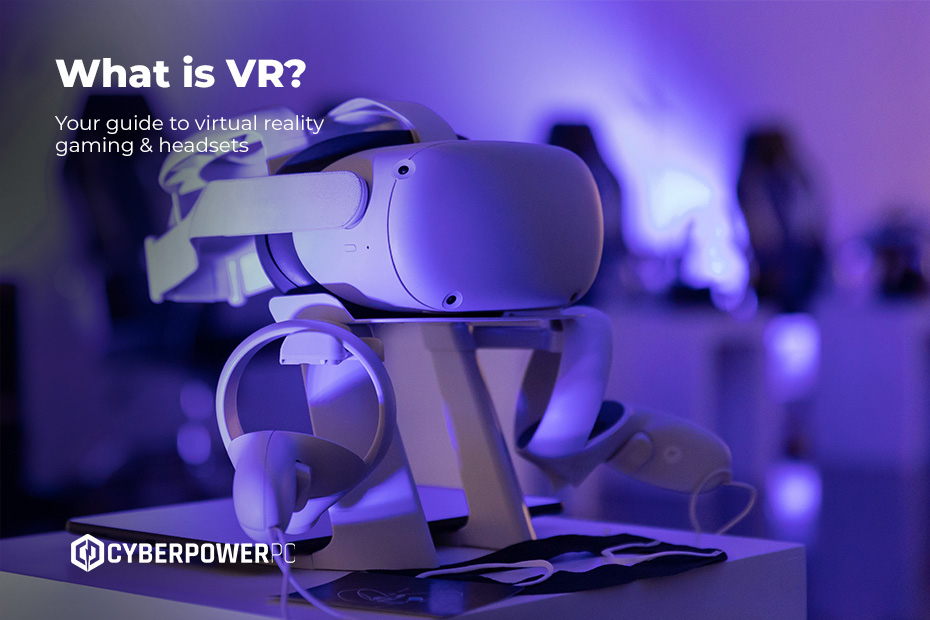
Over the last decade, VR gaming has gone from sci-fi fantasy to one of the most exciting ways to play. This guide will walk you through everything you need to know about virtual reality gaming: how it works, what you need to get started, and which headsets are best. We’ll cover:
- What is VR in gaming?
- How does virtual reality work?
- What is a VR headset?
- How to use virtual reality
What is VR in gaming?
VR stands for virtual reality, and it’s exactly what it sounds like: a computer-generated world you can step into. Unlike traditional gaming, where you stare at a monitor, VR places you inside the action with a headset that tracks your movement in a 3D space.
In simple terms, it’s gaming where you don’t just control a character — you are the character. Whether you’re fighting zombies, racing cars, or swinging through trees in Gorilla Tag, VR puts you in the thick of it.
When was VR invented?
The earliest VR experiments date back to the 1960s, with clunky headsets and arcade-style machines. The Sword of Damocles, created in 1968, is considered the first VR headset invented, though it was huge and impractical compared to today’s sleek designs. Consumer-ready VR really hit the mainstream in 2016 with the launch of the Oculus Rift and HTC Vive.
Virtual Reality vs Augmented Reality
It’s easy to mix up VR and AR, but they’re different:
- Virtual reality (VR): fully immersive digital worlds that puts you in the game.
- Augmented reality (AR): overlays digital content onto the real world (think Pokémon Go).
While both are exciting, VR is where gaming truly shines right now.
How does virtual reality work?
At its core, virtual reality works by combining:
- A VR headset – with screens in front of your eyes to create stereoscopic 3D visuals.
- Tracking sensors – to monitor your head, hands, and sometimes your full body.
- Controllers – motion-sensing devices that replicate your hands in-game.
Together, these parts create the illusion of presence — the feeling that you’re really inside a virtual world. If you’ve ever wondered how VR headsets work so well, the secret is refresh rate, resolution, and tracking accuracy. High-end headsets use fast displays to keep up with your movement and reduce motion sickness.
If you’re gaming on PC, your GPU plays a massive role in VR performance. VR demands high frame rates to feel smooth and natural, so cutting corners on graphics power isn’t recommended. Pairing a strong GPU with a quality VR headset ensures a truly immersive experience. You can find our comparison of the best GPUs in this guide.
One common question is: is VR bad for your eyes? The short answer is no, not if used responsibly. VR can cause temporary eye strain or motion sickness if sessions are too long, but there’s no evidence of lasting damage. The key is taking breaks and adjusting your headset for comfort.
What is a VR headset?
A VR headset is the gateway to virtual worlds. It’s worn on your head like a pair of chunky goggles, with built-in lenses, screens, and tracking hardware. Some popular types include:
- Standalone VR headsets – like Meta Quest 3, which work on their own without a PC.
- PC VR headsets – like the Valve Index, designed for high-performance gaming.
- Console VR headsets – like PlayStation VR2, made specifically for the PS5.
If you’re wondering which VR headset to buy, the right choice depends on your budget, gaming preferences, and whether you want standalone freedom or PC-level performance.
How much is a VR headset?
Prices for VR headsets vary massively, and the price you’ll pay really depends on how immersive you want your experience to be:
- Entry-level standalone headsets start around £250–£400.
- High-end PC VR headsets can cost anywhere from £600–£1,200.
- Add-ons like base stations, controllers, and accessories push the cost higher.
Look, VR isn’t cheap. But for gamers looking for something beyond traditional setups, VR headsets are worth the money. The immersion, unique gameplay, and rapidly expanding library of titles make VR one of the most exciting frontiers in gaming.
That said, not everyone needs to dive in at the high end. Entry-level headsets are more affordable than ever, so there’s room to experiment before committing.
What is the best VR headset?
It’s tough to crown a single winner, but here are some gamer favourites:
- Meta Quest 3 – Best for newcomers who want portability and solid visuals without a PC.
- Valve Index – Best for hardcore PC gamers who want top-tier tracking and image quality.
- PlayStation VR2 – Best choice if you already own a PS5 and want console VR gaming.
How to use virtual reality
Although the tech is impressive, getting started with VR is easier than you may think. To set up your VR headset, follow the manufacturer’s instructions to connect it to your PC, link it to your console, or use standalone mode. Next, install VR software. Platforms like SteamVR, Meta Quest Store (previously Oculus Store), or PlayStation Store are the main hubs for downloading VR games and apps.
Clear some space for movement — VR games often need at least a few square metres — and grab your controllers. Make sure they’re charged, and that’s it! You’re ready to explore everything from action-packed shooters to relaxing VR movie nights.
If you’re not sure which games to start with, here are some of the most talked-about VR experiences right now:
- Minecraft VR – Explore blocky worlds in first-person like never before.
- Payday 2 VR – Team up for heists in full virtual reality.
- Assetto Corsa VR – A racing sim that feels incredibly real in a headset.
- Gorilla Tag – The viral multiplayer game where you swing and climb as a gorilla.
And if you’re wondering how to watch movies with VR or watch VR videos on PC, apps like Bigscreen and YouTube VR let you enjoy films or videos on massive virtual screens.
VR isn’t just for solo play — you can share the experience too. There are plenty of co-op games you can play with your friends, and for playing solo at parties, most headsets let you mirror gameplay to a TV so your friends can see what you see.
VR gaming is more accessible and immersive than ever. The best experience comes from pairing the right headset with a powerful PC or laptop, but you don’t need to go all-in immediately — there are options for every budget. And remember: it’s not just about the headset. A strong GPU, comfortable peripherals like a gaming keyboard and mouse, and a quality gaming PC will all enhance your experience.
So whether you’re curious about how VR works, eager to try out Minecraft VR, or just looking for the best VR headset to match your setup, now is the perfect time to jump into virtual reality.