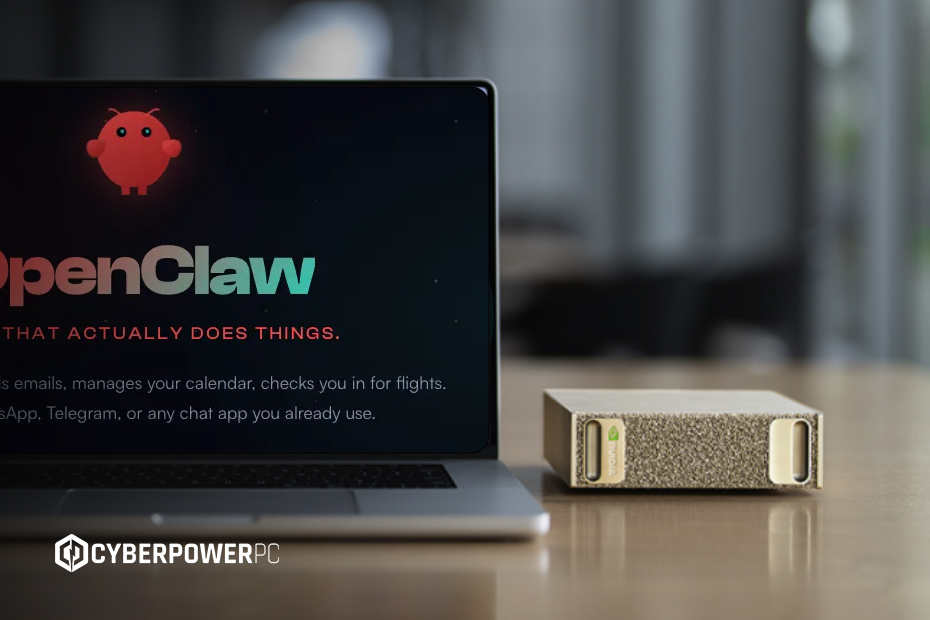
OpenClaw is one of the fastest-growing open-source AI agent platforms on the market. Unlike traditional AI chatbots, OpenClaw can actively perform tasks across apps, browsers, APIs, and operating systems.
The platform has attracted major industry attention thanks to its autonomous workflow capabilities, persistent memory, and enterprise automation potential. With that power, however, come significant security and infrastructure considerations.
In this guide, we’ll explain what OpenClaw is, how businesses are using it, the risks involved, and how NVIDIA’s NemoClaw security framework aims to make enterprise AI agents safer.
- What is OpenClaw?
- What is Agentic AI?
- What use cases does OpenClaw currently serve?
- OpenClaw hardware & system requirements
- AI PCs
- Recommended enterprise setup
- What are OpenClaw skills, and which ones should enterprise users install?
- Is OpenClaw safe? Security vulnerabilities explained
- Main security risks
- OpenClaw costs & licensing
- NVIDIA NemoClaw: How does it improve security?
- Final thoughts
What is OpenClaw?
OpenClaw is a harness for users to utilise an open-source AI agent framework to automate digital tasks. Instead of simply generating responses to queries, it can:
- Send emails and messages
- Manage calendars
- Access files
- Run commands
- Automate workflows
- Integrate with tools like Slack, GitHub, Gmail, and Notion
The models OpenClaw works through include ChatGPT, Gemini, Grok, or even your own homegrown local model.
OpenClaw falls into the category of agentic AI, AI systems capable of independently taking actions to achieve goals.
What is Agentic AI?
Agentic AI refers to AI that can plan and execute tasks autonomously rather than just respond to prompts.
For example: A chatbot drafts an email; an AI agent drafts, schedules, and sends it automatically.
OpenClaw combines large language models (LLMs), persistent memory, tool integrations, workflow automation, and autonomous execution, allowing users to automate tasks, streamline workflows, and interact with software through a single AI agent.
Its open-source model also allows businesses to self-host deployments and customise workflows.
What use cases does OpenClaw currently serve?
For game developers
Game studios are using OpenClaw for code generation, debugging, testing workflows, and build automation.
For businesses and enterprise users
Enterprise teams are exploring OpenClaw for email automation, marketing, scheduling, and note-taking/task delegation following meetings.
Because OpenClaw can coordinate multiple systems at once, automating entire business workflows instead of isolated tasks, it only requires supervision for a cycle/workflow to run smoothly.
For creative companies
Creative teams are using OpenClaw to automate content creation, streamline research, coordinate social media management, manage marketing campaigns, and improve production scheduling, helping agencies and media companies boost productivity and scale creative workflows more efficiently.
OpenClaw hardware & system requirements
Small deployments can run on consumer hardware, but enterprise environments often require dedicated infrastructure.
Minimum requirements
Technically, any computer can run AI to the barest minimum; local models can be as complex
- Modern multi-core CPU
- 16GB RAM
- SSD storage
Recommended enterprise infrastructure
Local AI models require specific components due to their massive power draw for computing incredibly unconventional, complex tasks using conventional methods.
Fortunately, OpenClaw does not require immediate access to local models and can simply access online models such as Claude and ChatGPT. This means you can run OpenClaw on an old machine and spend money on tokens for tasking AI.
If you’re accessing a local model, however, it’s a different story.
We’ve seen individuals go to great lengths, buying dual latest-edition graphics cards paired with highly capable CPUs and 100s of gigabytes of RAM, while for the average person, 32GB would have been more than enough for everyday tasks.
GPUs and VRAM
AI is incredibly demanding; VRAM is the kitchen space, and AI is hungry. The amount of VRAM you have allows your AI model to process or cook more efficiently, with more counter space to compute.
If the VRAM (counter space) fills up entirely, the computer has to start moving information to your regular system RAM, which acts as a “back storage room”
So why can’t you use RAM in place of VRAM?
Relying on system RAM drastically slows down the AI’s generation speed, dropping it from a smooth 40 words per second to a virtually unusable 2 to 3 words per second
This means that on a 32 GB RAM system with the 16GB VRAM a traditional home computer has, the model would take years to load and a long time to process any request.
Traditionally, VRAM was only needed for gaming and rendering in 3D; the rise of AI and the immediate need for more has upended the consumer market and led to the RAM shortage
AI PCs
To solve cooling, storage and VRAM demand issues, AI mini PCs have been developed and released to the consumer market.
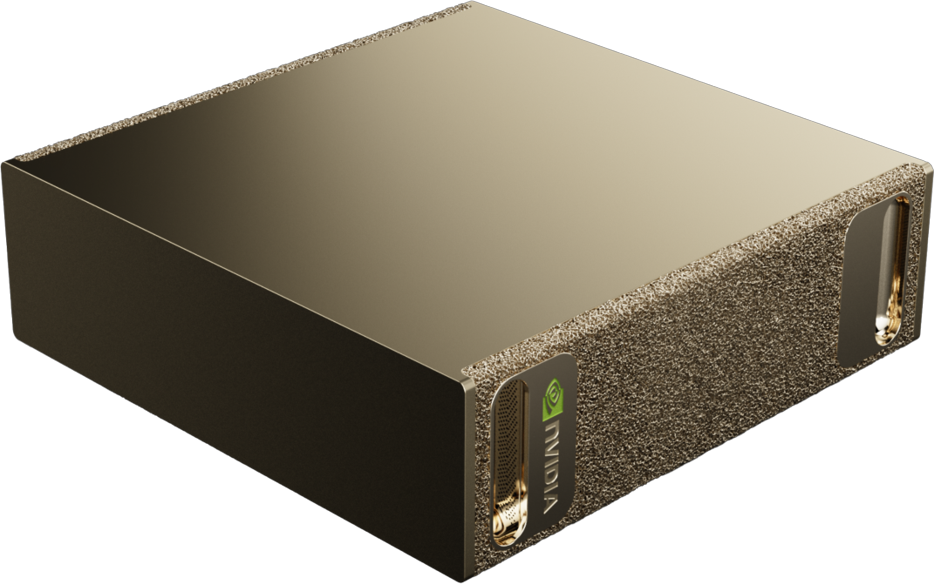
These AI workstations are tiny supercomputers with 128GB of unified memory built on the Grace Blackwell architecture. This means that the GPU, CPU and RAM draw from the same 128GB pool.
One particular model is the NVIDIA DGX Spark Personal AI Computer, which drew attention as one of the first AI mini PCs available on the market.
With its small form factor, you can bring this PC anywhere like a laptop- without the mouse, keyboard, or monitor…don’t forget to bring those with you.
NVIDIA DGX Spark Specs
What does it have that makes it so special?
| Component | NVIDIA DGX Spark Personal AI Computer |
| CPU Core Processor | 20 core Arm, 10 Cortex-X925 + 10 Cortex-A725 Arm |
| GPU Graphics Processor | 128GB of Unified memory |
| RAM Random Access Memory | 128GB LPDDR5x Coherent Unified System Memory |
| CPU Cooling | Integrated Thermal Management System |
This is incredibly well suited for processing multiple prompts at a time.
Customisable Workstation
Hey big spender, if you have a huge amount of task delegation, an extremely big, complex local model, and you want to make your AI tasks happen in seconds. You might consider the Ultra Thread Ripper Pro PC.
Powered by a 64-core AMD CPU and an NVIDIA RTX Pro Blackwell 5000 GPU equipped with 48GB of VRAM, upgradeable to the Blackwell 6000 and 96GB of VRAM. Alternatively, you may choose the AMD Radeon™ AI PRO R9700 32GB.
Visit our guide to NVIDIA vs AMD to find out which would suit you best.
Recommended enterprise setup
Businesses should start with low-risk productivity integrations and avoid granting unrestricted system access early on.
Best practices include:
- Role-based permissions
- Sandboxed environments
- Audit logging
- Human approval workflows
- Limited terminal access
What are OpenClaw skills, and which ones should enterprise users install?
OpenClaw uses “skills” to connect with external tools and services. The list of skills is ever-growing thanks to an ambitiously driven community, but it pays to be cautious when installing these “skills”.
A developer could add malicious code, coordinating an agent to pass on information from your business to a 3rd party. Always take precautions when installing 3rd party software and plugins.
Popular integrations include:
- Slack
- GitHub
- Gmail
- Google Workspace
- Microsoft 365
- Jira
- Notion
Many utilise their agents away from their desks through messenger apps such as Telegram and WhatsApp to operate their delegations remotely.
Is OpenClaw safe? Security vulnerabilities explained
Security is one of the biggest concerns around enterprise AI agents.
Because OpenClaw can access files, applications, and APIs, it increases the potential attack surface within an organisation.
Main security risks
Prompt injection attacks
Malicious instructions hidden in websites, documents, or emails may manipulate agent behaviour.
Credential exposure
Poorly secured deployments may leak API keys or authentication tokens.
Excessive permissions
Unrestricted filesystem or terminal access can create major operational risks.
Autonomous mistakes
AI agents may accidentally send incorrect messages, improperly modify records, or execute unintended workflows.
Enterprise security recommendations
Organisations deploying OpenClaw should implement:
- Sandboxing
- Zero-trust access controls
- Human oversight
- Monitoring and audit logs
- Backup and disaster recovery systems
Even running a local model affects your security; always ensure you’re following GDPR, and HIPAA.
OpenClaw costs & licensing
OpenClaw is free and open-source software released under the MIT License, allowing businesses to use and modify it freely.
However, OpenClaw operates as a BYOK (Bring Your Own Key) framework, meaning organisations still pay for:
- AI model APIs
- Cloud hosting
- GPUs and infrastructure
- Monitoring and security tools
Enterprise costs can scale quickly depending on usage and deployment size.
NVIDIA NemoClaw: How does it improve security?
NVIDIA’s NemoClaw framework adds security “guardrails” around AI agents.
It helps enterprises:
- Restrict unsafe actions
- Filter malicious prompts
- Monitor agent behaviour
- Enforce governance policies
NemoClaw is designed to make enterprise AI deployments safer, particularly for organisations concerned about the risks of autonomous AI.
Final thoughts
OpenClaw represents a major shift toward autonomous AI agents capable of managing real business workflows.
For enterprises, the opportunity is significant, but so are the security challenges.
Businesses that combine OpenClaw with strong governance, limited permissions, and proper security controls may gain major productivity advantages while reducing operational risk.