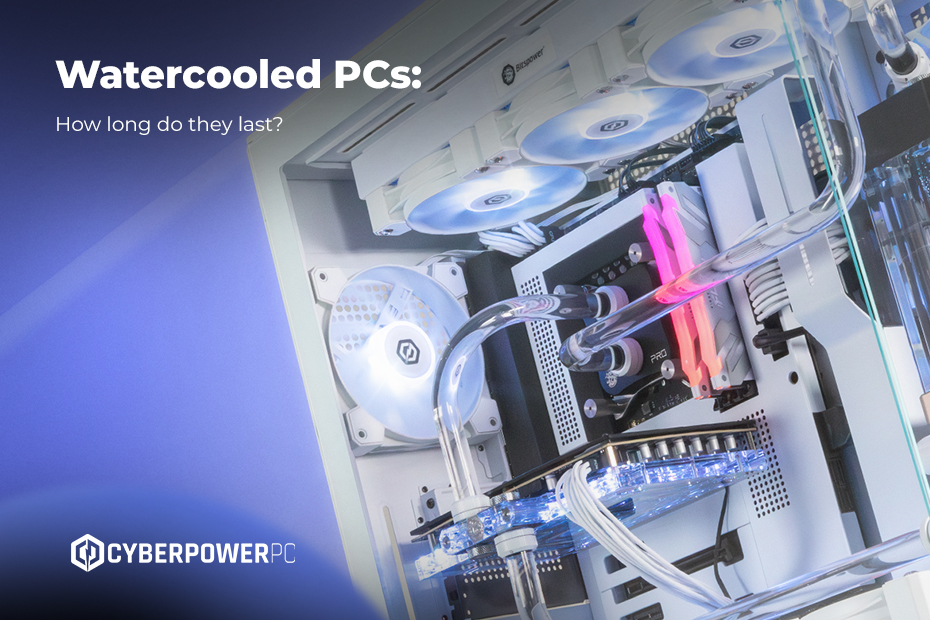
Liquid cooling has gone from a high-end technology to an essential component in modern gaming PCs. But what are water cooled PCs, and are they worth the investment? Let’s do a deep dive into water cooled PCs!
Water cooling also known as (liquid cooling) is typically reserved for high end systems, but in the last couple of years the rhetoric has shifted, and liquid cooling your PC is now a common choice for modern gaming. This is due to the fact that technology now requires more processing power, and in return needs to be kept cool to avoid performance drops and to improve efficiency. A well maintained liquid cooled system can last anywhere from 3 to 7 years, depending on the quality of the components you picked out!
With this guide we will break down what liquid cooling is, the pros and cons, and whether a liquid cooled PC is for you.
Table of contents:
What is liquid cooling in a PC?
A liquid cooled PC is also known as a water cooled PC. These are basically PCs that use liquid (usually distilled water) to remove heat from high performance components like the GPU and CPU.
Now you must be thinking: what is the main difference between air cooling and liquid cooling? Well, the system for water cooling normally consists of a water block attached to the component it’s trying to cool. Standard air cooling relies solely on heatsinks and fans to transfer the heat build up from the components. It’s also considered a fairly cheap alternative to water cooling, whichmakes it more suitable for lower end systems!
If you want to know more about the different types of water cooled systems make sure to check out our Hyper Liquid range. There are also options from Corsair when it comes to cooling your PC down!
How does water cooling work in a PC?
As you now know, water cooling is also known as liquid cooling and it dissipates the heat from the powerful components using a coolant loop instead of relying on air heatskins and fans. Here’s all the details of what goes into a cooling loop.
The cooling loop consists of:
- Pump – circulates the coolant through the system.
- Coolant (liquid) – absorbs and carries heat away.
- Water block – attached directly to the CPU/GPU; heat transfers from the chip into the liquid.
- Radiator – the heated coolant flows here, where fins and attached fans dissipate the heat into the surrounding air.
- Reservoir (optional) – holds extra coolant and makes refilling easier.
How heat transfer occurs in a liquid-cooled PC
Heat transfer relies on thermal conductivity and convection. When your CPU and GPU are under pressure, it generates a lot of heat (a bit like a nuclear powerplant).
A water block is usually made from copper or nickel-plated copper because of their high thermal conductivity. They will sit on top of the components, and between the chips and the blocks is a thin layer of thermal paste to fill microscopic gaps to ensure that there is efficient heat transfer from the block to the CPU/GPU.
The heat from the parts will dissipate as the liquid absorbs this heat, and its temperature rises. The liquid can hold and move heat better than air, so they carry it away more efficiently.
After the liquid cools down, it flows back to the water block to pick up more heat. This loop of absorbing, carrying, and releasing heat keeps repeating, which helps liquid cooling systems keep a PC at lower temperatures than standard air cooling.
What liquids are used in PC cooling?
While many people still refer to it as “water cooling,” most modern systems use specialised coolants instead of plain water:
- Distilled water – cheap and effective, but prone to corrosion and algae growth if additives aren’t used.
- Glycol/water solutions – often used for better corrosion resistance and antifreeze properties.
- Dielectric fluids – non-conductive liquids, safe even if spilled, though much more expensive.
Is a water cooled PC better?
Liquid cooling isn’t automatically “better” than air cooling, it depends on your wants and needs. For gamers, PC enthusiasts, or anyone overclocking components, water cooling offers superior thermal performance, keeping CPUs and GPUs at lower temperatures than most air coolers. However, for everyday computing or moderate gaming, a high-quality air cooler can perform well and cost significantly less. Water cooling excels in high-performance scenarios, but it also comes with extra cost, maintenance, and potential risks.
Advantages of water cooling
Water cooling systems often outperform air cooling in thermal efficiency, especially under heavy loads like gaming or overclocking. They can be quieter too because fans don’t need to spin as fast to dissipate heat. Many builds also benefit from aesthetic appeal, with sleek tubing, RGB lighting, and cleaner layouts compared to bulky air coolers. These factors make liquid cooling popular among PC enthusiasts who value both performance and visual design.
Downsides of water cooling
The biggest disadvantages of water cooling are cost, maintenance, and risk. Fully custom water cooling loops can cost hundreds of pounds, while even prebuilt AIO (All-In-One) liquid coolers are often pricier than the alternatives. Maintenance is more involved: coolant should be flushed and refilled 1–2 times per year to prevent buildup or corrosion. There’s also the risk of leaks, pump failures, or damage if the pump runs without water, which can harm expensive components. In short, water cooling can be excellent, but it requires constant maintenance.
How long does a liquid cooled pc last?
When it comes to lifespan, liquid-cooled PCs can last just as long as air-cooled systems if maintained properly. Pumps typically last 5–7 years, while radiators often outlive the rest of the system according to Crucial. Coolant should be flushed at least twice a year depending on the fluid used and system design. Proper maintenance ensures that a water-cooled PC remains reliable over time, and using high-quality parts minimises the risk of leaks or pump failure.
How to flush and refill a liquid cooling PC
Maintaining a water-cooled PC involves flushing and refilling the loop periodically. First, power off the system and carefully drain the old coolant. Next, rinse the loop with distilled water to remove any buildup. Once clean, refill with the recommended liquid, distilled water with additives, glycol/water solutions, or dielectric fluids, until the system is full. Run the pump briefly to circulate the liquid, then top off as needed. Regular maintenance like this prevents corrosion, algae growth, and keeps performance optimal. Following these steps ensures your liquid cooling system stays efficient and safe for years
So is having a watercooled build right for you? You can make the informed choice now that you know the pros and cons of having a watercooled system.
Here at CyberPowerPC UK, we have a wide range of options when it comes to liquid cooled systems that come professionally assembled with a 2 year warranty. This includes 12 months on collect and returns 2 years on parts and 5 years in labour. You can even design it yourself, how cool is that!
If you need further information about what components work well with each other, make sure to check out our buying guide as it will have everything you need to know when it comes to creating your dream PC.